Mac G5 Distorted Image Due to Bad Video Card in Waterford Lakes
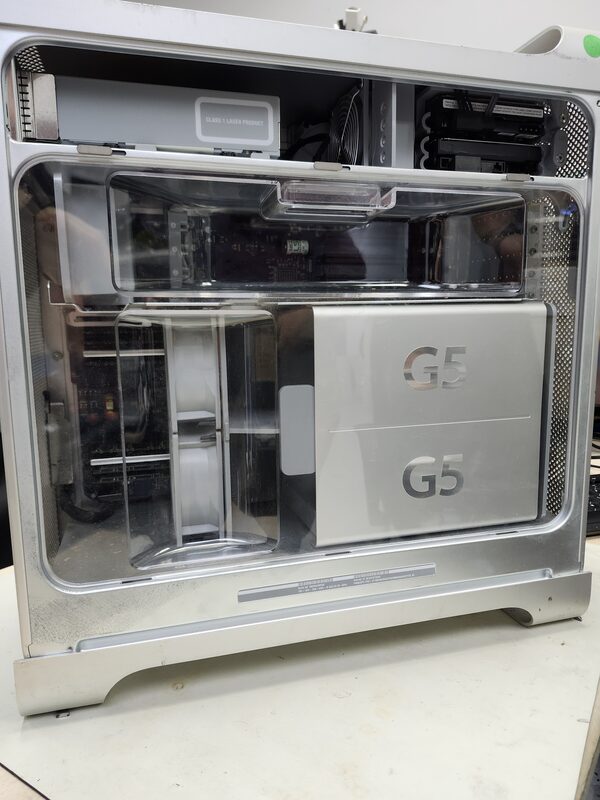
When a local resident from Waterford Lakes brought their antique Mac G5 to FixStop, they were understandably concerned. The once-reliable machine was now displaying a distorted image, making it nearly impossible to use. As a classic model cherished for its unique design, the Mac G5 held sentimental value for the owner. They needed a reliable solution to restore their computer's functionality without compromising its integrity.
What Causes Distorted Images on Gaming Desktops?
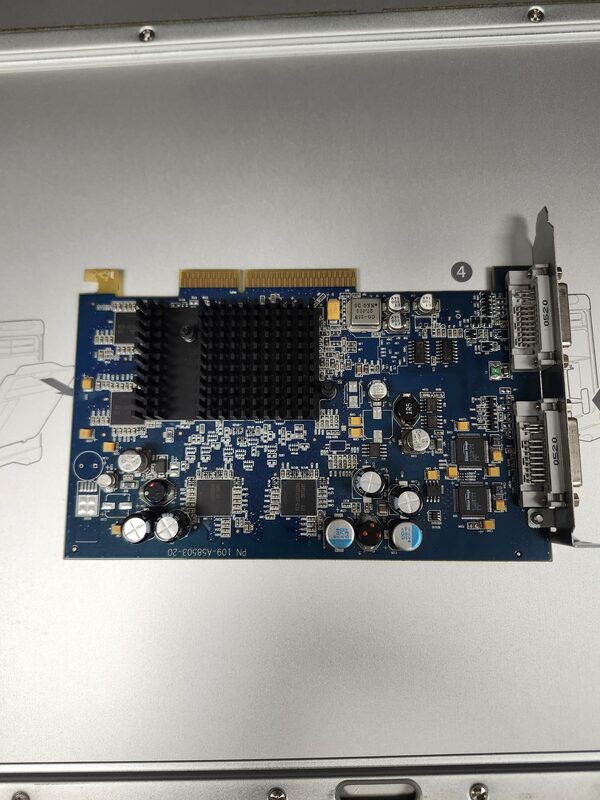
Distorted images on gaming desktops, like the Mac G5, can stem from several issues. Common culprits include a failing video card, outdated drivers, or overheating components. In some cases, the problem might be due to loose cables or a defective monitor. However, when the display shows persistent distortion, it's often an indication of a deeper hardware issue, such as a malfunctioning video card.
The Diagnosis at FixStop
Recognizing the severity of the issue, our technicians at FixStop in Waterford Lakes conducted a thorough diagnostic on the Mac G5. We carefully examined the video output and checked for any loose connections. Our inspection revealed that the video card was indeed the source of the problem. The card showed signs of wear and tear, which was causing the distorted image.
The Repair Process Step by Step
Once the diagnosis was confirmed, we proceeded with the repair. Here's how we tackled the issue:
- Removal of the Old Video Card: We carefully removed the malfunctioning video card, ensuring no damage to the surrounding components.
- Cleaning and Preparation: The internal components were cleaned to remove any dust buildup that could affect performance.
- Installation of a New Video Card: We selected a compatible replacement card that matched the specifications of the Mac G5.
- Testing the System: After installation, we tested the system to ensure the new video card functioned correctly, and the distorted image issue was resolved.
The repair process required precision and expertise, as working with older hardware can be challenging due to compatibility and availability of parts. However, our technicians are well-versed in handling such tasks, ensuring the Mac G5 was restored to its former glory.
How Long Does a Video Card Replacement Take?
Replacing a video card in an older model like the Mac G5 typically takes a few hours, depending on the availability of parts. At FixStop, we aim to provide same-day service for most repairs. However, due to the unique nature of vintage computers, the process can occasionally extend to ensure all components are working harmoniously.
How Much Does a Video Card Replacement Cost in Waterford Lakes?
The cost of replacing a video card can vary based on the model and availability of compatible parts. At FixStop, we offer free estimates to give our customers a clear understanding of the potential expenses before proceeding. Our focus is always on providing cost-effective solutions without compromising on quality.
Why Choose FixStop in Waterford Lakes?
With over 12 years of experience serving the Central Florida community, FixStop is your go-to destination for electronics repair. Located conveniently in the Eastwood/UCF area, we offer personalized service, genuine parts, and a 90-day warranty on our repairs (excluding physical and liquid damage). Our certified technicians are committed to restoring your devices to optimal condition while ensuring a hassle-free experience.
Final Thoughts and Call to Action
If you're experiencing issues with your Mac G5 or any other gaming desktop, don't hesitate to visit us at FixStop in Waterford Lakes. Our team is ready to diagnose and fix any problems, ensuring your device runs smoothly. Call us today for a free estimate or drop by for a consultation. Trust us to bring your cherished devices back to life with expertise and care.