Laptop Fan Clogged with Dust in East Orlando
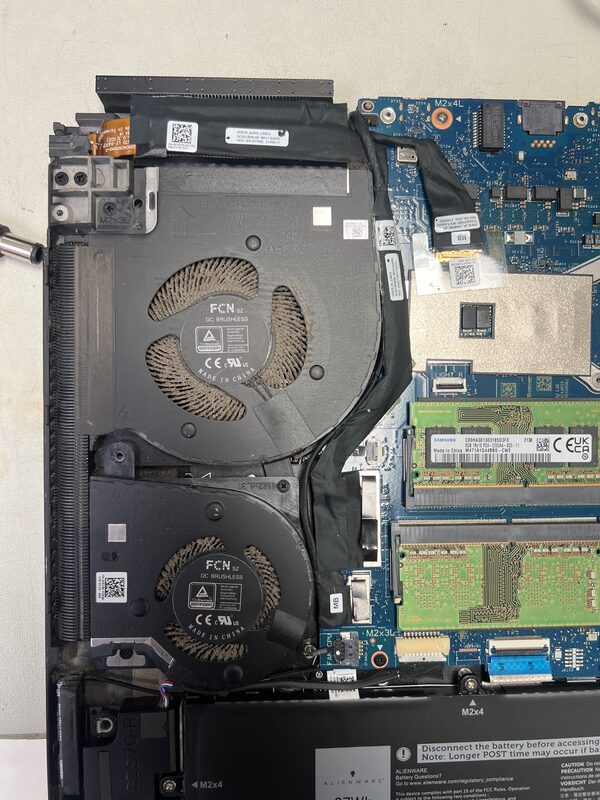
When a local resident brought their Windows laptop to FixStop in East Orlando, they were experiencing a common yet often overlooked issue: a clogged fan. The laptop was in dire need of a deep cleaning to remove the dust obstructing the fan. This obstruction can lead to overheating, which is a serious concern for the longevity and performance of any laptop. Here’s how we tackled the problem and got the laptop back in optimal working condition.
What Causes Laptop Fans to Clog?
Laptop fans are crucial for maintaining the device’s temperature by dissipating heat. Over time, these fans can accumulate dust and debris, particularly if the laptop is used in dusty environments or placed on soft surfaces like beds or couches. This build-up can restrict airflow, leading to overheating and potential hardware damage.
- Using the laptop on soft surfaces that block air vents
- Environmental dust and pet hair
- Extended periods of usage without cleaning
The Diagnosis at FixStop
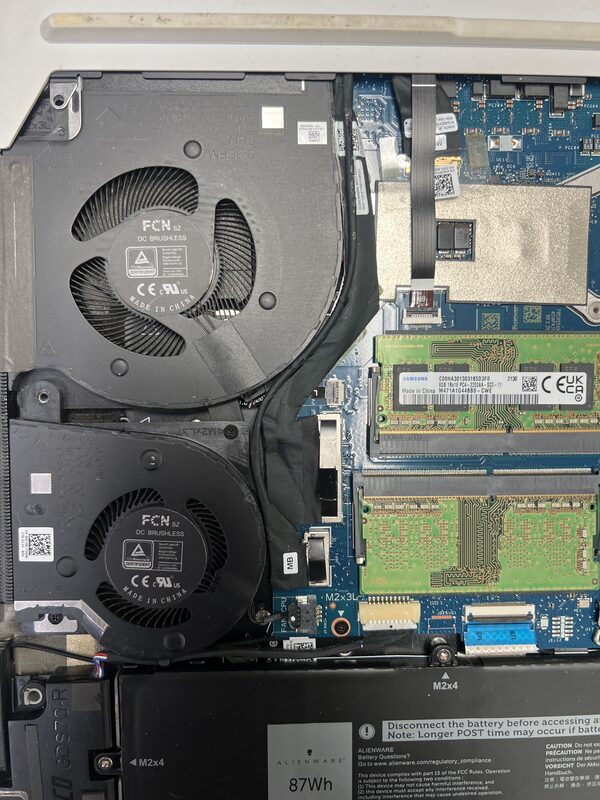
Upon receiving the laptop, our certified technicians conducted a thorough inspection. The issue was immediately apparent: the fan was visibly clogged with dust. This blockage was preventing the fan from functioning effectively, hampering the laptop’s ability to cool itself properly. It was clear that a comprehensive fan cleaning was necessary to restore the laptop’s performance.
The Repair Process Step by Step
Our repair process began with carefully disassembling the laptop to access the fan. Using specialized tools such as compressed air and small brushes, we meticulously removed the dust and debris from the fan and surrounding components. This type of cleaning requires precision to avoid damaging delicate parts.
- Disassembly: We carefully opened the laptop's casing to reach the fan.
- Cleaning: Compressed air was used to dislodge dust, followed by gentle brushing to clear residual debris.
- Reassembly: Once clean, we reassembled the laptop, ensuring all components were securely in place.
After reassembly, we conducted a series of tests to ensure the fan was operating correctly, and the laptop was maintaining a safe temperature under load.
How Long Does Laptop Fan Cleaning Take?
Typically, a laptop fan cleaning can be completed within a few hours, depending on the extent of the dust accumulation and the ease of access to the fan. At FixStop in East Orlando, we strive to offer same-day service for straightforward cleaning jobs, ensuring our customers face minimal downtime.
How Much Does Laptop Fan Cleaning Cost in East Orlando?
While prices can vary based on the specific needs of each repair, laptop fan cleaning generally falls within an affordable range. At FixStop, we provide free estimates so you can understand the cost upfront. Our goal is to offer competitive pricing to ensure your laptop remains in peak condition without breaking the bank.
Why Choose FixStop in East Orlando?
With over 12 years of experience, FixStop is a trusted name in electronics repair in the East Orlando area. Our location near UCF and Eastwood makes us a convenient choice for students and residents alike. We offer a 90-day warranty on our repairs (excluding physical and liquid damage), use genuine parts, and have certified technicians ready to assist with all your repair needs. Walk-ins are always welcome, and we pride ourselves on delivering reliable service with a smile.
Get Your Laptop Cleaned at FixStop Today!
Don’t let a clogged fan compromise your laptop’s performance. If you suspect your device is getting too hot or the fan is struggling, bring it to FixStop for a comprehensive cleaning. Our team is ready to provide a free estimate and get your laptop back to its best. Contact us today or drop by our East Orlando location for expert care and service.