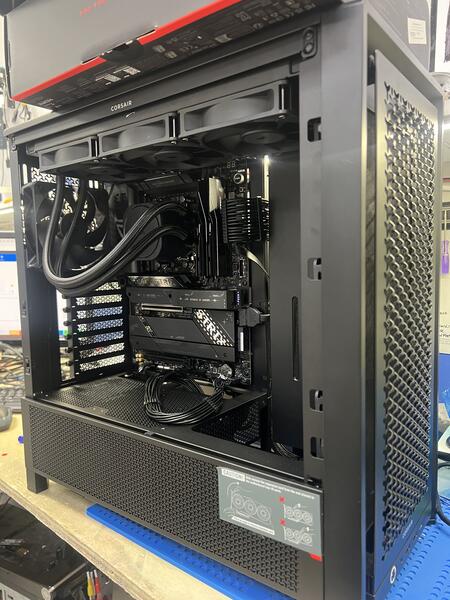
Customer Report of Gaming Desktop Overheating and Shutting Off
A customer from the University area brought in their gaming desktop after it began overheating and randomly turning off. They searched for gaming desktop overheating repair to find a shop that could diagnose the shutdown problem.
Common Reasons Gaming Desktops Overheat
Gamers often look for gaming pc shutting off fix when temperatures spike. Common causes include:
- Failed water cooler or pump not circulating fluid
- Dust buildup restricting airflow
- Dried thermal paste or improper CPU contact
- Fan failure or incorrect fan curves
In this case, the system was reaching over 90 degrees and climbing until it shut down for safety.
Diagnostic Findings and Repair Process
We fully inspected the cooling system, tested thermal performance, and confirmed the water cooler was no longer functioning. The pump had failed, causing temperatures to spike instantly under load.
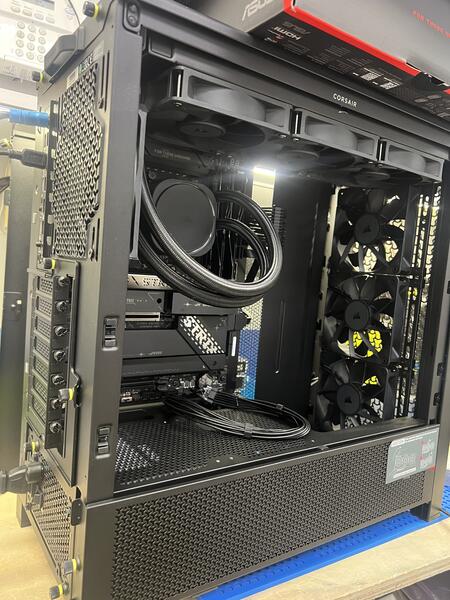
Repair Solution and Results
We replaced the faulty cooler with a new high-performance water cooler, cleaned the internal components, and optimized the airflow. After testing, the gaming desktop ran at cool, stable temperatures even under heavy load.
Why Customers Choose FixStop
Gamers searching for gaming desktop overheating repair or gaming pc shutting off fix trust FixStop for proper thermal diagnosis, fast cooling system replacements, and performance-focused repairs.