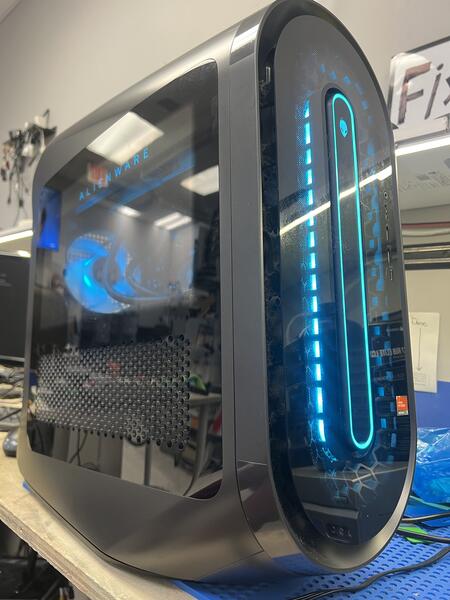
Customer Report of Alienware Desktop No Display
A customer from Waterford Lakes brought in their Alienware desktop after noticing that nothing was loading and there was no display output. They mentioned the HDMI port felt loose and searched for alienware desktop repair orlando to find a professional shop experienced with gaming systems.
Common Reasons for No Display on Gaming PCs
Many users look for gaming pc no display fix waterford lakes when their systems suddenly stop showing video. Common causes include:
- Loose or damaged HDMI or DisplayPort connectors
- GPU drivers corrupted or missing
- Video card not properly seated
- Monitor input source mismatch
In this case, the HDMI port had slight play, and the video card drivers were completely missing, which prevented games from launching or displaying properly.
Diagnostic Findings and Repair Process
We opened the case and inspected all internal components. The GPU was physically fine, and the HDMI connection only needed to be secured. We cleaned the connectors, reseated the video card, and reinstalled the correct drivers directly from the manufacturer to ensure system stability.
Repair Solution and Results
After reinstalling the drivers and securing the port, the system booted normally with full display output. Games launched correctly, and performance was fully restored. The customer was happy to have their Alienware desktop running like new again without needing expensive part replacements.
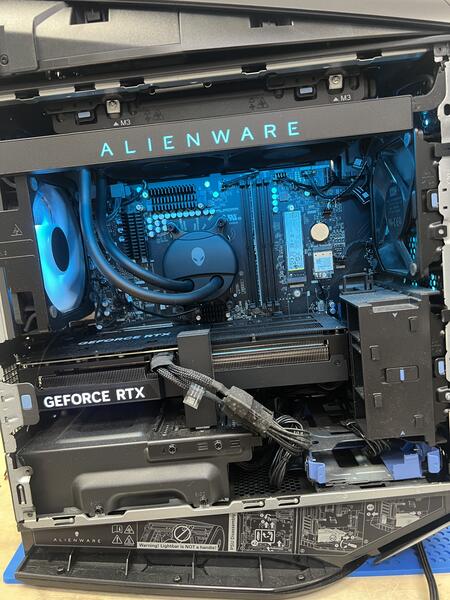
Why Customers Choose FixStop
Gamers and PC owners searching for alienware desktop repair orlando, gpu repair near me, or gaming pc hdmi fix waterford lakes trust FixStop for our hands-on experience and ability to quickly diagnose and resolve both hardware and software problems.